
Is your Salesforce org ready for Agentforce? 7 things to check first.
Agentforce is live. Salesforce has been pushing it hard since Dreamforce, and if your org is on Enterprise Edition or above, there's a good chance someone on your leadership team has already asked: "When are we turning this on?"
Fair question. But here's the problem we keep running into with clients: the orgs that rush into Agentforce without doing the groundwork end up with agents that hallucinate off bad data, fire on automations that conflict with each other, or surface recommendations that nobody trusts. That's not an AI failure. That's a foundation failure.
Before you spend a dollar on Agentforce licensing or ask your admin to start building agents in Agent Builder, run through these seven checks. They'll tell you whether your org is actually ready, or whether you're about to pour AI on top of a mess.
1. Your data has to be clean. Not "clean enough." Clean.
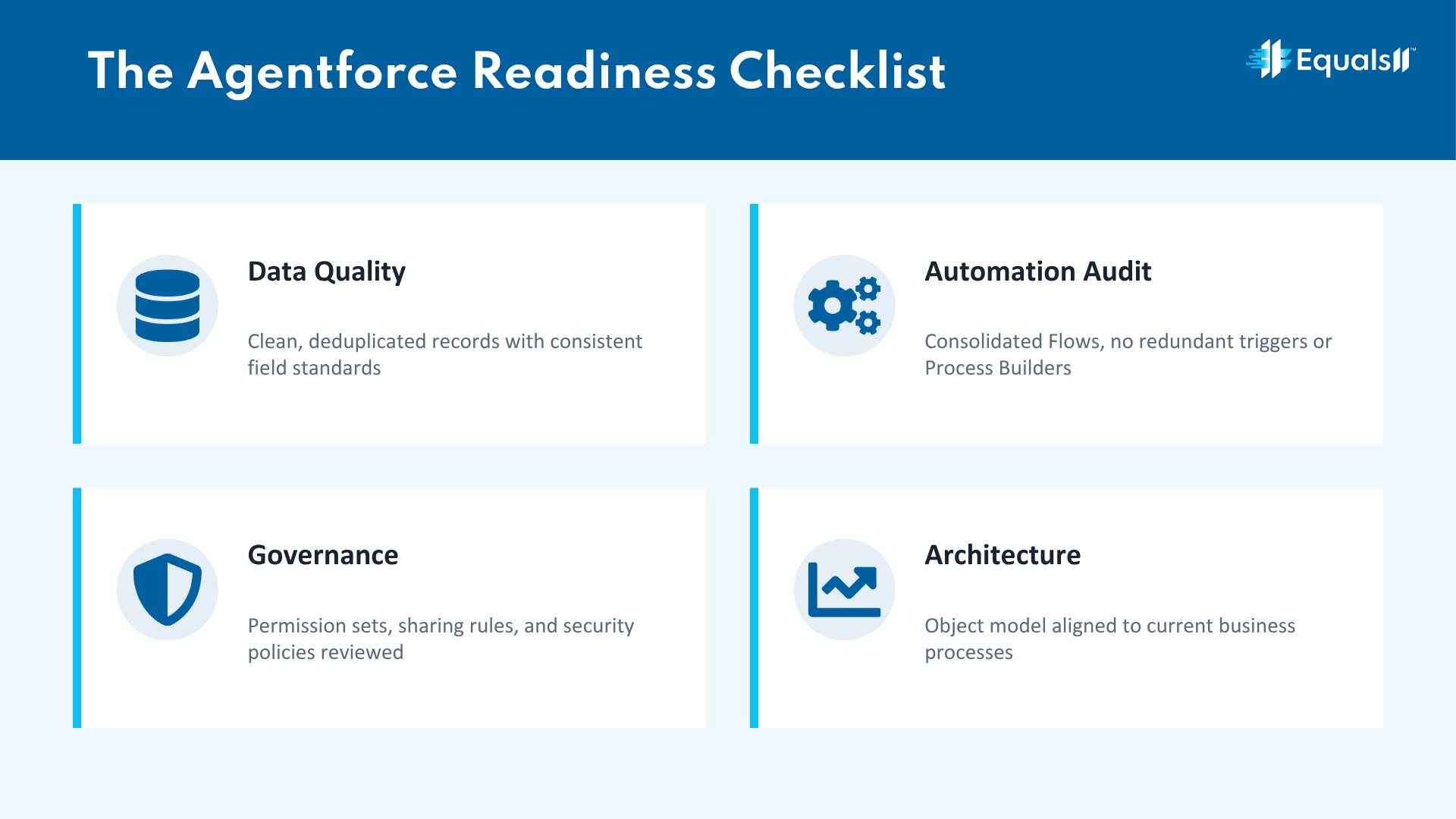
Agentforce agents pull from your Salesforce records and Data Cloud profiles to make decisions. If those records are full of duplicates, outdated contacts, or inconsistent formatting, the agent doesn't know that. It treats everything as truth.
We worked with a mid-market SaaS company last year that had over 40,000 duplicate contact records and three different conventions for logging deal stages. Their Einstein lead scoring was producing numbers that the sales team openly ignored. The scores weren't wrong in a technical sense. They were trained on garbage inputs.
Before you turn on any AI capability, deduplicate your records, standardize your picklist values, and archive anything that hasn't been touched in 18 or more months. This isn't glamorous work, but nothing else matters without it.
2. Audit every automation that fires on your high-volume objects
Most Salesforce orgs that have been live for more than two years have automation debt they don't even know about. Old workflow rules that nobody remembers creating. Process Builder automations that duplicate what a Flow already does. Triggers that fire in sequence and occasionally hit governor limits on busy days.
Agentforce agents trigger actions through your existing Flows and Apex. If those automations are tangled, the agent inherits the tangle. One client came to us after their Agentforce service agent kept creating duplicate cases. It turned out a legacy Process Builder was also firing on the same case creation event.
Map every automation on your Account, Contact, Opportunity, and Case objects. Consolidate where you can. Retire what's dead. Salesforce's own guidance has been clear on this: migrate off Process Builder and into Flow before you layer on AI.
[Insert Slide 2: Agentforce Readiness Checklist graphic here]
3. Check your permission sets and sharing rules
Agentforce agents operate within your existing security model. They respect field-level security, sharing rules, and permission sets. That sounds reassuring until you realize that most orgs have permission sets that were configured once during implementation and never revisited.
If your sharing rules are overly broad, the agent might surface data that certain users shouldn't see. If your field-level security is too restrictive, the agent might miss the context it needs to give a useful answer.
Go through your permission sets with fresh eyes. Ask yourself: does each role have access to exactly what they need, no more, no less? This matters for compliance, too. For healthcare and financial services teams, especially, a misconfigured permission set isn't just an inconvenience. It's an audit finding.
4. Make sure your object model still matches your business
Salesforce orgs evolve. Businesses add products, change go-to-market motions, and restructure teams. The object model that made sense three years ago might not reflect how your teams actually work today.
Agentforce agents reason across your objects. If your opportunity stages don't match your real sales process, or if your case categories were set up for a product line you discontinued, the agent will make decisions based on an outdated map.
This is the kind of thing that's easy to put off, but it compounds. A misaligned object model doesn't just confuse AI. It confuses your people, too.
5. Get honest about your reporting foundation
Here's a question worth asking in your next ops meeting: does your leadership team trust the numbers in your Salesforce dashboards?
If the answer is anything less than "yes, completely," Agentforce isn't going to fix that. It'll make it worse. AI-generated insights built on unreliable reports just add another layer of numbers that people second-guess.
Fix the reporting first. Make sure your pipeline stages have clear entry and exit criteria. Confirm that your forecast categories actually roll up the way finance expects. Get your dashboards to a point where people use them in meetings without pulling up a side spreadsheet. Then let AI build on that.
We published a piece recently onwhy Salesforce pipeline reports keep missing the real number. If this sounds familiar, that's a good place to start.
6. Define what "success" looks like before you build anything
This one isn't technical, but it trips up more teams than any configuration issue.
Agentforce can do a lot. It can qualify leads, resolve service cases, recommend next actions, draft emails, and route work. The temptation is to try everything at once. That's how pilot projects stall: too many use cases, not enough focus, and no clear way to measure whether the agent is actually helping.
Pick one use case. Define what success looks like in specific terms: response time, case deflection rate, lead conversion lift, whatever metric your team actually cares about. Build the agent around that single use case. Measure it for 30 to 60 days. Then decide whether to expand.
The teams that get real value from AI aren't the ones that turned it on first. They're the ones who had a clear plan for what to measure.
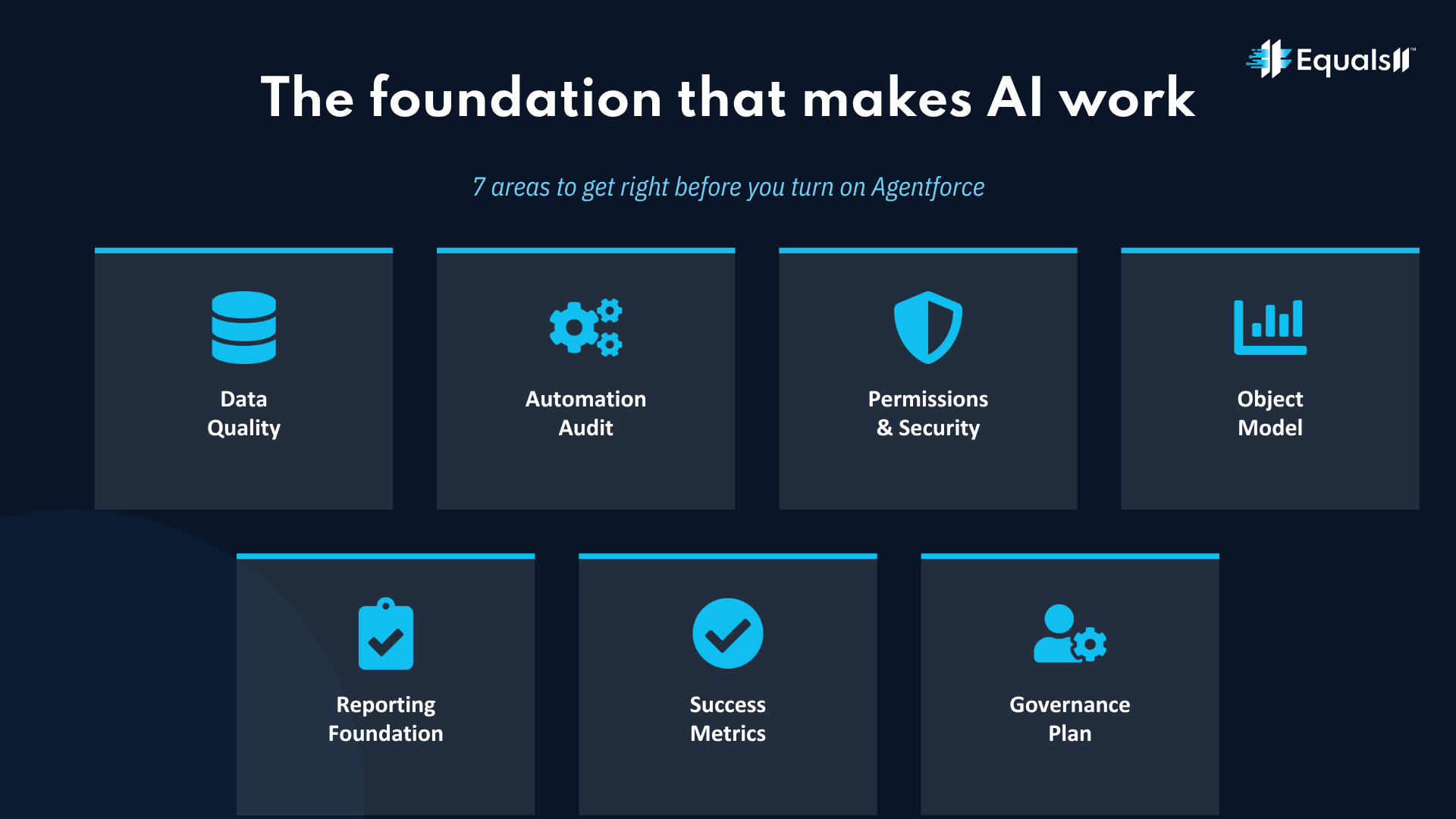
7. Build a governance plan before your agents go live
This is where most companies skip ahead and regret it later.
Once Agentforce agents are live, they're making decisions on your behalf. They respond to customers, update records, and trigger actions. Without a governance framework, nobody knows who owns the agent's behavior, who reviews its outputs, or what happens when it makes a mistake.
At a minimum, you need:
A named owner for each agent (not "the Salesforce team," but a specific person).
A review cadence for agent performance and accuracy.
Escalation rules for when the agent encounters something outside its scope.
A process for updating the agent's instructions as your business changes.
Salesforce released observability tools in Agentforce 3 that make this easier. The Command Center gives you visibility into what agents are doing at the interaction level. But the tools only help if someone is actually looking at the data.
For a more structured approach to planning AI inside Salesforce, our AI Implementation Plan for Success playbook walks through a 20-week roadmap from planning through evaluation. No email required.
The bottom line
Agentforce is a real product with real capability. Salesforce reports that over 12,000 organizations have deployed it, and the Agentforce 360 release in early 2026 added meaningful features. Agent Builder, Agent Script, Voice, and Intelligent Context all make the platform more practical for production use.
But none of that matters if your org isn't ready for it.
The organizations that are getting the most from Agentforce right now aren't the ones with the biggest budgets or the earliest start dates. They're the ones that took the time to clean their data, consolidate their automations, tighten their security model, and define what they wanted AI to actually do before they built anything.
Need help figuring out where your org stands? Equals11 runs Salesforce health checks built around your specific architecture, goals, and compliance requirements. We work with enterprise teams, healthcare organizations, and nonprofits running complex Salesforce environments.
