
Salesforce HIPAA Compliance Pitfalls to Avoid in 2026
Your Salesforce org passed the last compliance review. The BAA is signed. Shield is active. And somewhere in your system, a Flow is emailing PHI to a distribution list that hasn't been reviewed since 2023.
That's how most HIPAA violations happen in Salesforce. Not from hackers. Not from system failures. From configurations that made sense at the time and were never revisited.
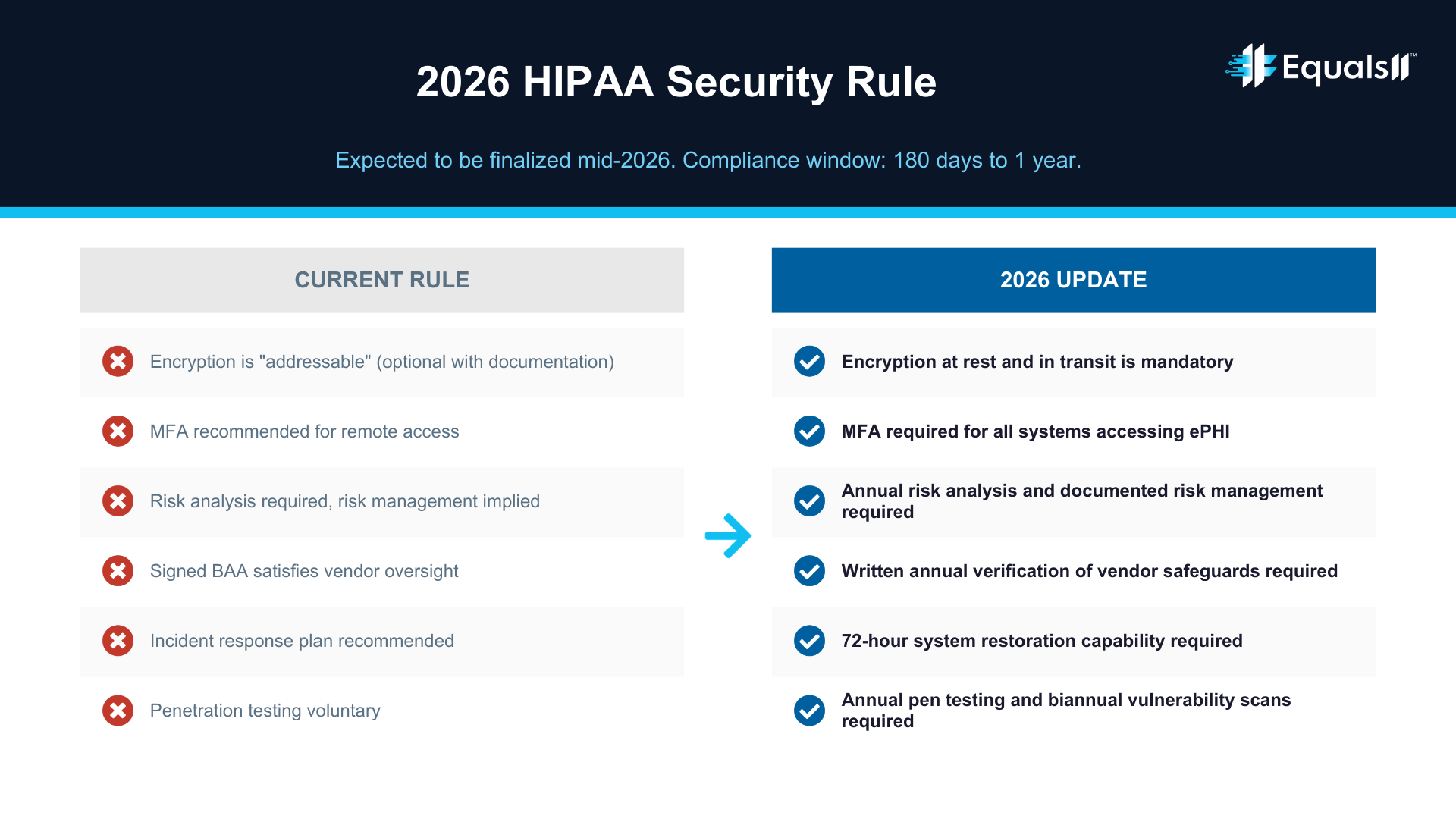
In 2026, the compliance bar is moving. The proposed HIPAA Security Rule update, expected to be finalized by mid-2026, will eliminate the distinction between "required" and "addressable" safeguards. Encryption, MFA, annual penetration testing, and documented risk management will all be mandatory. For healthcare companies running Salesforce, a generic setup is no longer good enough.
Here's where we see organizations get into trouble, and what to do about it.
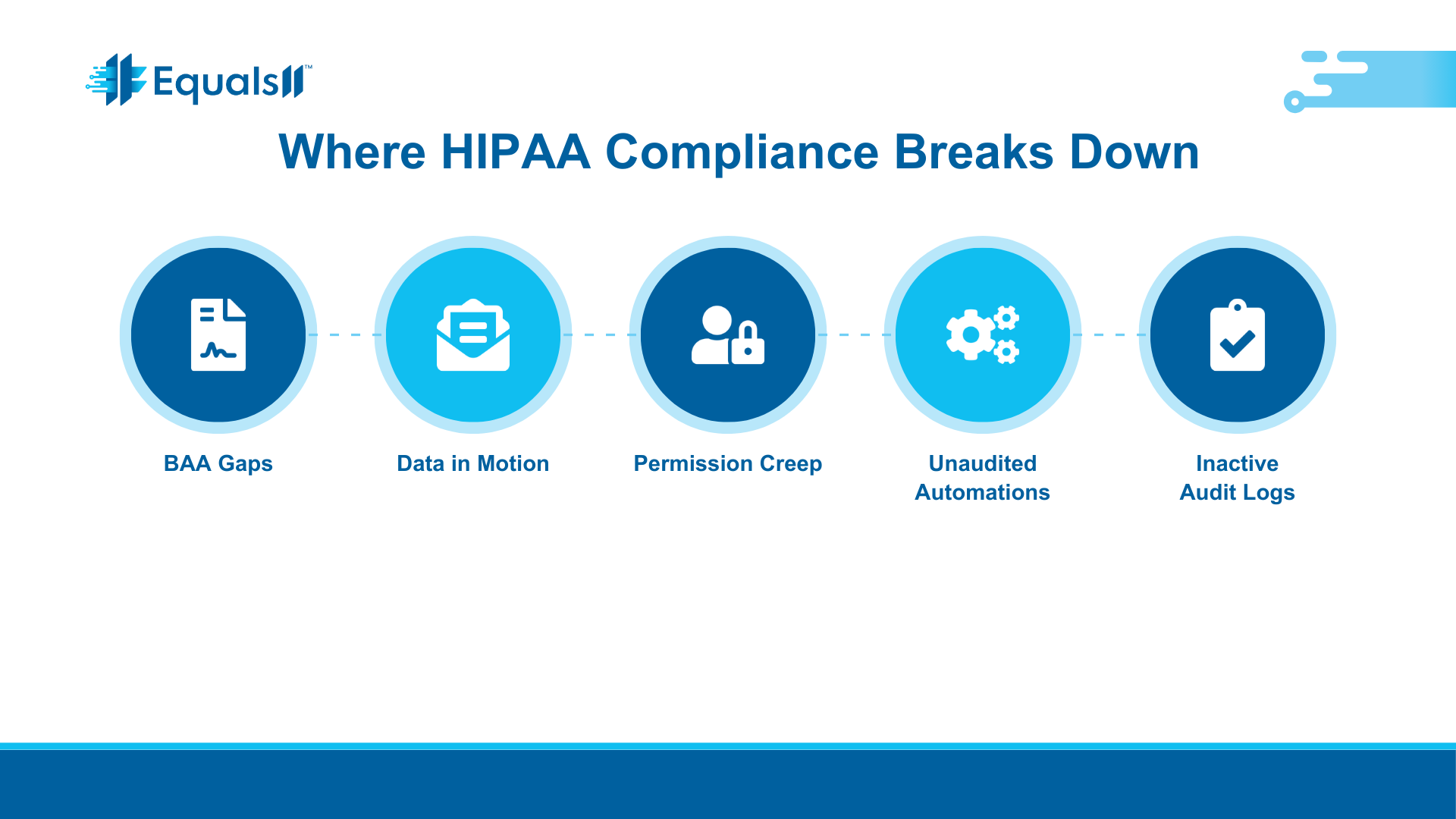
The BAA covers less than you think
Salesforce will sign a Business Associate Agreement, but only for specific covered services. That agreement does not extend to third-party AppExchange packages, custom integrations, or features that aren't explicitly listed in your BAA addendum.
We've seen healthcare teams assume that because Shield is active and the BAA is signed, everything in the org is covered. It's not. If a marketing automation tool or a third-party form builder is touching PHI and it's not in the BAA, your organization owns that risk entirely.
The BAA also comes with restrictions on how covered services can be used. Certain mobile and social features in Health Cloud, for example, are not HIPAA-compliant by default. If you haven't read the actual addendum, and not just the overview page, you probably don't know what's excluded. Salesforce publishes its current BAA restrictions and covered services list at compliance.salesforce.com, and it's worth reviewing that document against every integration and feature in your org that touches patient data.
The practical step here is straightforward. Pull your BAA addendum and compare it line by line against your actual Salesforce environment. If something isn't covered, either remove PHI from that workflow or find a compliant alternative before OCR finds it for you.
Data in motion is your blind spot
Salesforce secures data at rest within its platform. But the moment PHI leaves Salesforce (through an email alert, an API call, a Flow-triggered notification, or a reply to a Service Cloud ticket), it becomes data in motion. And data in motion is your responsibility to encrypt, not Salesforce's.
This is one of the most common gaps we find during audits. A support rep replies to a case that contains a patient's diagnosis. The reply threads the original message, which now carries PHI over email without encryption. That's a violation, and it happens dozens of times a day in orgs that haven't addressed outbound data handling.
The same problem applies to integrations. If Salesforce sends PHI to a downstream system over an API and that connection isn't encrypted end-to-end, you have an exposure point that no amount of Shield configuration will fix.
The fix starts with mapping every path PHI takes out of Salesforce: email replies, Flow-triggered messages, API connections, file exports. Each one needs encryption in transit. For email specifically, there are tools that integrate with Salesforce and can automatically encrypt messages containing PHI based on keyword or policy rules. The point is that Shield protects what's inside Salesforce. Everything leaving the org is on you.
Permissions accumulate, access reviews don't
When someone joins the team, they get a permission set. When they change roles, they usually get another one. When they leave, maybe their account gets deactivated. Eventually.
In most Salesforce orgs, user permissions only grow. Nobody goes back to remove access that's no longer needed. Over time, you end up with users who can see PHI fields they have no business accessing, in violation of HIPAA's minimum necessary standard.
OCR's enforcement record makes the risk concrete. The risk analysis enforcement initiative, which has produced more than 50 financial penalties since 2019, is expanding in 2026 to include risk management. That means OCR won't just ask whether you identified access risks. They'll want to see evidence that you addressed them.
Quarterly permission set audits focused on PHI-containing objects and fields are the minimum standard now. Any access that isn't justified by a current role needs to be removed and the review needs to be documented. Under the proposed Security Rule update, this kind of access governance is expected to become a mandatory annual exercise. Organizations that build this discipline now will be ahead of the requirement instead of scrambling to catch up.
Automations move PHI where you're not looking
Flows, Process Builder automations, and triggered emails are the plumbing of a Salesforce org. In healthcare environments, that plumbing often carries PHI without anyone thinking about it as a compliance event.
A common example: a Flow updates a record and sends a Chatter notification that includes a patient identifier. Or an approval process emails a summary to a manager with PHI in the body. Or a scheduled report runs weekly and lands in an inbox that isn't behind MFA.
Each of these is a potential violation under the minimum necessary rule. And under the proposed 2026 Security Rule update, organizations will be required to maintain a technology asset inventory and network map that accounts for how ePHI moves through every system, including automations.
The right approach is to audit every automation on objects that contain PHI and ask two questions for each one. Does it transmit PHI outside of Salesforce? Does it expose PHI to users who don't need it for their job? If the answer to either is yes, that automation needs to be redesigned. Most organizations have never done this audit. The ones that do it before the final rule takes effect will have a significant head start.
Audit logs exist but nobody reviews them
Salesforce Shield includes Event Monitoring, which can track login activity, data exports, report runs, and record access. Most healthcare orgs turn it on and never look at it.
HIPAA requires audit controls, but it also expects active review. Having logs that sit unread doesn't satisfy the regulation. If OCR investigates and asks for evidence that you monitored for unauthorized PHI access, the answer "we have logs" without "and here's how we reviewed them" won't hold up.
Basic Event Monitoring in Salesforce only retains data for 30 days. For HIPAA compliance, that's not enough. The proposed rule expects organizations to maintain security documentation for at least six years. If you're relying on the default retention window, you have a gap that needs to be closed, either through Salesforce's extended retention options or by exporting logs to a SIEM or compliance tool.
The organizations that treat event log review as a recurring process, not a feature they turned on and forgot about, are the ones that can demonstrate compliance when it matters. Monthly reviews focused on PHI object access, bulk data exports, and login anomalies are a reasonable starting point.
The 2026 Security Rule changes are coming, and they're not optional
The proposed HIPAA Security Rule update, published by HHS in late 2024, is the most significant overhaul since the original rule was adopted in 2003. Once finalized, organizations will likely have 180 days to one year to comply.
Here's what matters for Salesforce healthcare environments.
All safeguards become mandatory. The distinction between "required" and "addressable" goes away. If it's in the rule, you have to do it. Encryption of ePHI at rest and in transit will be required, not recommended. MFA will be required for all systems that access ePHI. Annual penetration testing and biannual vulnerability scanning will be required.
Business associates, including Salesforce, will face new verification requirements. A signed BAA alone won't be sufficient. Covered entities will need to obtain written confirmation that their vendors have implemented required safeguards. Organizations must also be able to restore critical systems within 72 hours of a security incident.
For healthcare companies on Salesforce, this means the current "we have Shield and a BAA" posture won't pass muster. You need documented evidence of active risk management, access governance, encryption enforcement, and incident response planning, all specific to your Salesforce environment.
What a defensible Salesforce HIPAA setup actually looks like
Generic configurations don't account for how your organization actually uses Salesforce. The difference between compliant and noncompliant usually comes down to specifics: which fields contain PHI, which automations transmit it, which users can see it, and whether anyone is actively watching.
At Equals11, when we run a Baseline audit for a healthcare client, we map those specifics before we recommend anything. We look at how PHI actually flows through the org. Not just where it's stored, but where it moves, who touches it, and whether the configurations match the compliance requirements.
From there, we build an architecture that's right-sized for the organization: access models tied to actual roles, encryption applied to the fields that need it, automations redesigned to stop leaking PHI into email threads and Chatter posts. And through Continuum managed services, we keep it that way as Salesforce releases new features and the regulatory requirements continue to tighten.
If you're a healthcare company on Salesforce and you're not confident that your current setup would hold up under an OCR investigation, that's worth addressing before the new Security Rule takes effect.
Book a Baseline assessment with Equals11 and we'll show you exactly where you stand.
Sources
HHS HIPAA Security Rule NPRM Fact Sheet (December 2024):hhs.gov
Salesforce BAA Restrictions and Covered Services:compliance.salesforce.com
HIPAA Journal, "Is Salesforce HIPAA Compliant?":hipaajournal.com
HIPAA Journal, HIPAA Violation Fines (Updated January 2026):hipaajournal.com
HHS 2026 Penalty Inflation Adjustments (Federal Register, January 28, 2026):mercer.com
RubinBrown, "HIPAA Security Rule Changes: 2025-2026 Updates":rubinbrown.com
OutsideGC, "HIPAA Changes Coming in 2026":outsidegc.com
