
The short answer: Salesforce pipeline numbers don’t match because Sales, Finance, and RevOps each use their own definition of pipeline. They count different stages, use different amount fields, apply different date logic, and filter different products. Nobody wrote one definition down and got Sales and Finance to sign it. The fix is a one-page pipeline definition with named owners. A No-Cost Baseline Assessment shows exactly where your numbers split and what to lock first.
When three teams bring three pipeline numbers, the CEO ends up choosing one. That choice sets the hiring plan, the cash forecast, and what the board hears next quarter. If the pick is wrong, every plan built on it inherits the error.
The gap often opens in the months after a Salesforce implementation, and it rarely closes on its own. Here’s why it happens and how to get every team to one number.
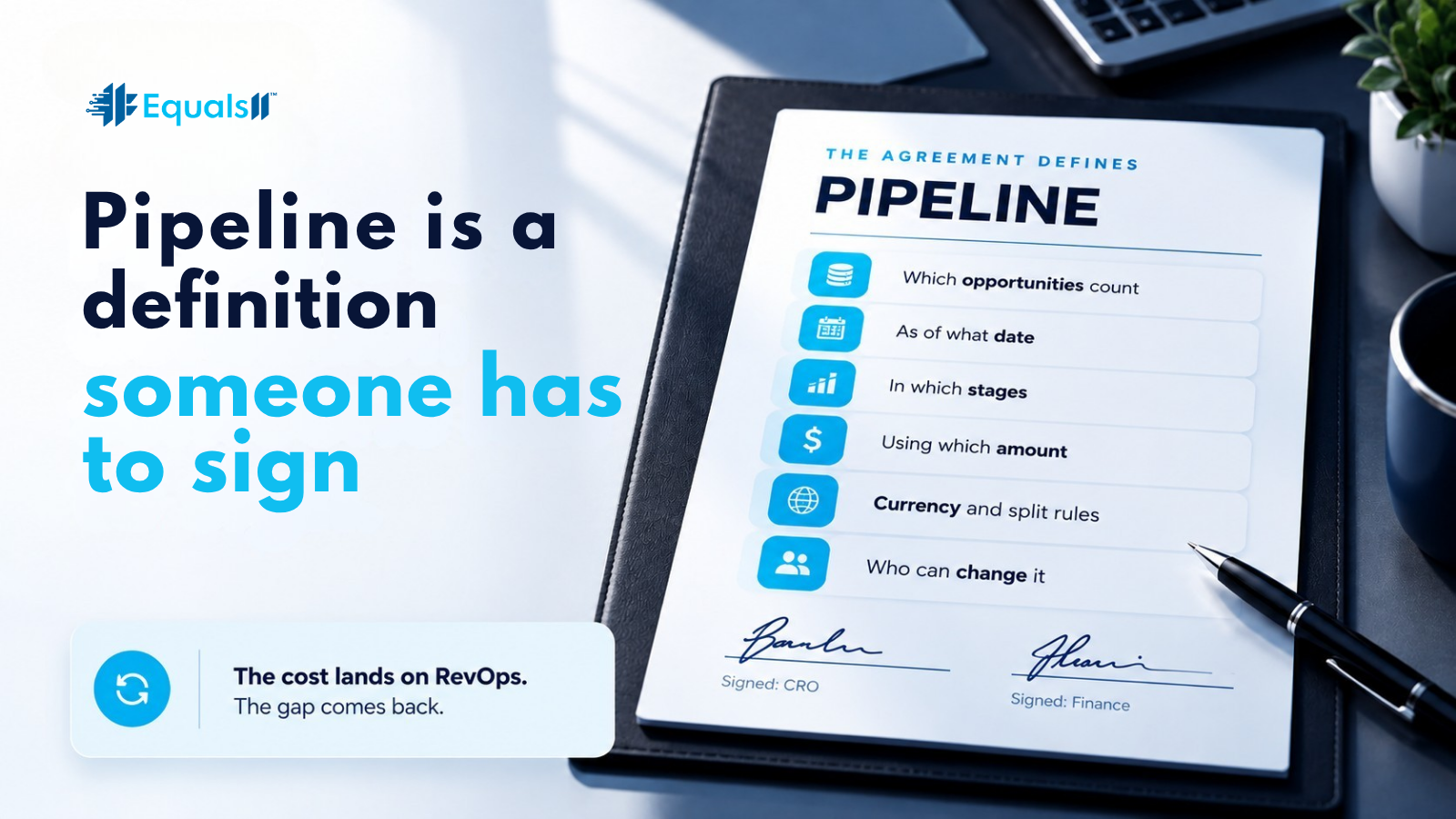
Pipeline is a definition someone has to sign
A Salesforce report shows pipeline. It doesn’t define it. Pipeline is an agreement about which opportunities count, as of what date, in which stages, using which amount, and under which currency and split rules. It also says who is allowed to change any of that.
When Sales, RevOps, and Finance disagree, each is usually correct against its own version of that agreement. Nobody is lying. They are working without a contract.
The cost lands on RevOps. Someone rebuilds a reconciliation every time leadership asks why the numbers differ, and the gap comes back the next week.
Signs your pipeline numbers don’t match
Close dates slide from quarter to quarter while the stage never moves.
Amounts get edited late in the quarter with no note on why.
Executive reports still carry stage names nobody uses out loud anymore.
Each regional VP has a “slightly adjusted” filter, and leadership has started quoting it.
Commit, best case, and pipeline mean different things in different segments.
Month-end reconciliation takes days of forensic work when it should take five minutes.
Why it gets worse after a big implementation
Implementations are built to ship objects, flows, and training. The definition work with Finance often gets one workshop slide, when it needs a living control with an owner. After go-live, the implementation team leaves, and the reports stay. Each team then adjusts whichever report best supports its own story. A few quarters later, the disagreement is part of the culture.
A new tool usually makes this worse. A cleaner dashboard on top of conflicting definitions produces confident wrong answers. If you buy a forecasting add-on before the definitions are settled, you pay twice for the same problem.
The fix starts with the definitions themselves. The Four Locks below turn them into one agreement leadership can sign.

The Four Locks
A pipeline number holds up only when four things are fixed and owned.
Lock inclusion. Which stages, opportunity types, products, and business units count in executive pipeline, and which stay out.
Lock money. Which amount field is canonical, how currency and splits work, and whether you report amount or expected revenue.
Lock time. Close date, snapshot date, or as-of reporting, and how a mid-quarter push-out is treated.
Lock owners. Who can change each lock, how often, and where that decision is written down.
Until all four locks are on one page and signed by the CRO and Finance, the problem is the missing agreement. Every forecast built before then carries the gap into budget and headcount decisions.
How to reconcile Salesforce pipeline numbers in one 90-minute session
You don’t need a months-long project to find the gap. Put the CRO, Finance, and RevOps in one room for about 90 minutes with the three reports open.
Export the three reports and put them side by side.
Compare the filters, date logic, and stage lists line by line.
Walk through the largest opportunity-level differences one at a time.
Write down each rule that explains a difference.
Decide the rule, sign it, and rename the old reports so they can’t slip back into the board pack.
In the orgs we work inside, the gap usually traces back to a handful of rules. Thousands of random bad records are rarely the cause. That’s good news, because a handful of rules can usually be settled within a week.
What good looks like
One written pipeline definition, signed by the CRO and Finance, that fits on a single page.
One amount field and one close-date rule for everything leadership sees.
Stage inclusion that changes only through a logged decision.
Conflicting executive reports retired, or clearly labeled “operational only.”
QBRs that spend their time on what to decide next, because whose number is right is already settled.
That last shift is the one that matters. Leadership time goes back to decisions, and RevOps gets its week back from reconciliation.
Why pipeline is a CEO problem
If the board hears three pipeline numbers, the executive team never finished agreeing on how the revenue number gets produced. Report hygiene won’t fix that, and neither will a tool. Only people with the authority to sign the definition can.
The cheapest fix is a signed one-pager. The most expensive fix is another forecasting platform on top of a disagreement nobody resolved.
That’s why Equals11 works in a set order. The No-Cost Baseline Assessment finds where the numbers split. Growth Engine turns the Four Locks into an operating plan and builds them into Salesforce. Continuum keeps them from drifting as people, products, and territories change. The team that finds the gap is the team that closes it.
Next steps checklist
Schedule a 90-minute session with the CRO, Finance, and RevOps, with all three reports open.
Draft the one-page pipeline definition and get it signed the same day.
Retire or rename conflicting executive reports within a week.
Name an owner for each of the Four Locks.
Run a No-Cost Baseline Assessment on the remaining process and field debt before your next forecasting or AI initiative.
FAQ
Why don’t my Salesforce pipeline numbers match Finance?
Sales and Finance are usually applying different rules for stages, amounts, and dates. Until one definition is written down and signed, both numbers can be right by their own rules and still disagree.
Can’t we just use Finance’s number?
Finance’s number is only right if the Sales inputs match the definition Finance assumes. The agreement is what you’re fixing. The report is just where the problem shows up.
Is this a Salesforce bug?
Rarely. It’s almost always report design plus a missing operating agreement.
Do we need to rebuild our opportunity stages?
Only if the stage model can’t describe how you actually sell. Often the stages are fine and the locks are missing.
Where does Continuum fit?
Once the definition is locked, Continuum keeps the operating model from drifting through re-orgs, new products, and new leaders.

Start with a No-Cost Baseline Assessment
Book a No-Cost Baseline Assessment. We’ll show you exactly where your three numbers split and what to lock first, before you spend on another dashboard or forecasting tool. If you want ongoing ownership after that, Continuum keeps the team that built your plan running it.
Salesforce is not expensive. Misalignment is.
