
Salesforce Profiles to Permission Sets: What Mid-Market Orgs Should Actually Do in 2026
Spring '26 came and went. The hard deadline Salesforce announced for retiring permissions on profiles is gone. The hard date of Spring '26 has been removed, and a lot of admins exhaled and went back to ignoring the migration.
That is the wrong move.
The deadline shift does not mean the direction shifted. Salesforce still strongly advises that teams use permission sets to structure user permissions, and in 2026, it is no longer optional thinking. It is how the platform is designed to work. Every product decision Salesforce ships now assumes a permission-set-led model. Features like Dynamic Forms, User Access Policies, and most new security capabilities are built around it. If your org still runs on 14 custom profiles cloned from “System Administrator” back in 2019, you are sitting on a governance problem that gets more expensive every quarter.
Here is what mid-market orgs should actually do about it.
What changed and what did not
Profiles are not going away. Every user still gets exactly one. But the role of the profile is shrinking.
Going forward, profiles will hold defaults only. Login hours, IP ranges, default apps, record types, and page layout assignments. Everything else moves to permission sets and permission set groups. Object access, field-level security, system permissions, user permissions, app permissions. All of it.
This is not a Spring release surprise. Salesforce signaled this in 2023. The shift kept moving because the system was not fully ready to handle the change the community pushed back. Salesforce is improving the tooling. The direction is unchanged.
If you have an admin who says, “We will migrate when they force us,” that admin is making a $50,000 bet on a deadline that already moved once. Bad bet.
Why mid-market orgs are stuck
In 200 to 2,500-employee companies, we see the same pattern over and over.
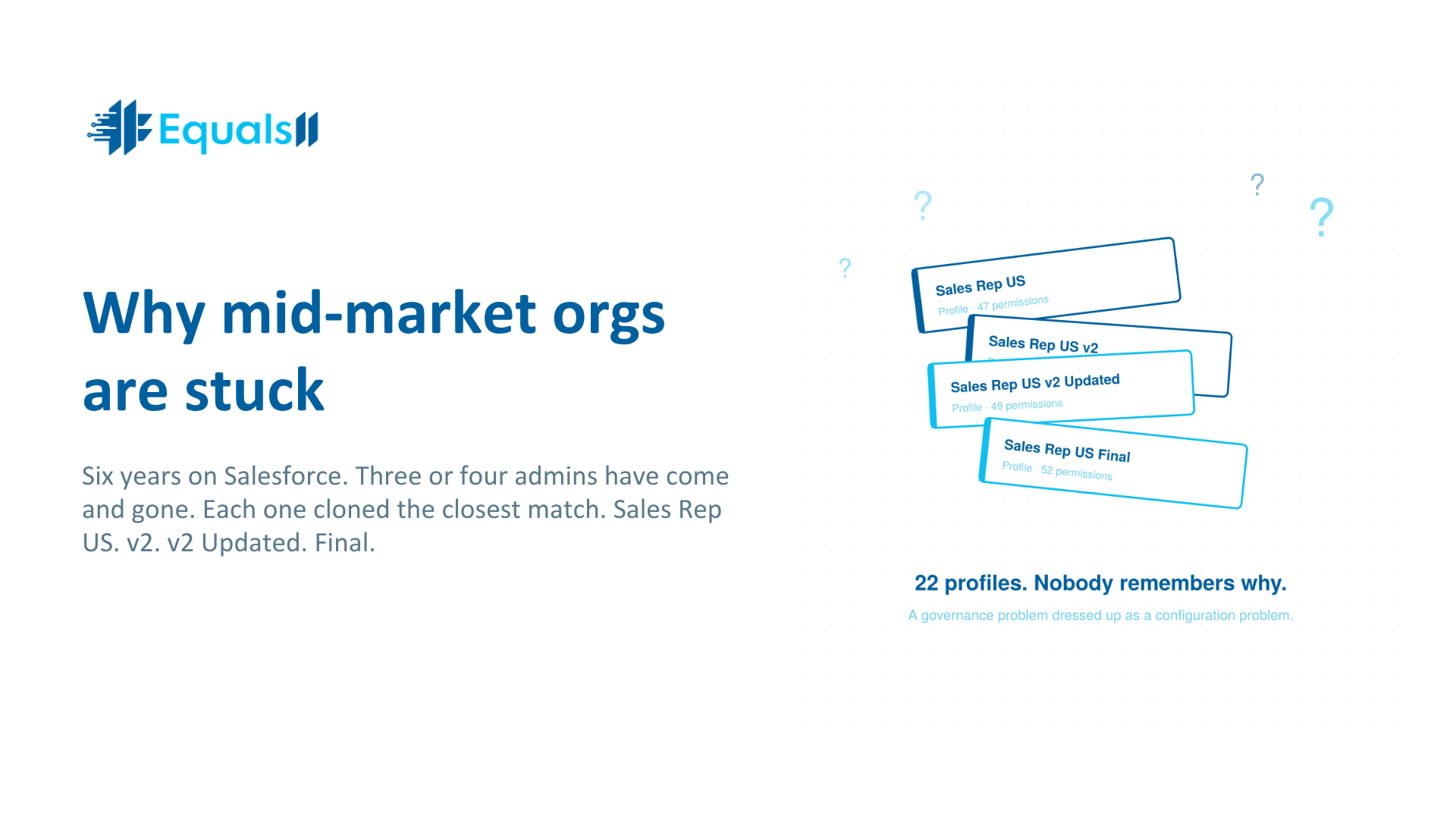
Six years on Salesforce. Three or four admins have come and gone. Each one created profiles by cloning the closest match. Sales Rep US. Sales Rep US v2. Sales Rep US v2 Updated. Sales Rep US Final. Nobody knows what is different between them. Nobody wants to touch them because the last person who tried broke something for a VP.
So the org has 22 profiles. Each profile carries permissions for objects, fields, and features that may or may not still be used. A handful of permission sets exist, but nobody knows what they do. Onboarding a new rep means cloning a user record and praying.
This is not a permission set problem. This is a governance problem dressed up as a configuration problem.
The real cost of waiting
A bloated profile model has measurable costs even before any deadline hits.
Provisioning takes longer. A simple configuration change that should take 10 minutes balloons into a two-hour task involving a spreadsheet and manual checks. Across a year, this inefficiency costs the average mid-sized company 40 to 80 admin hours, easily a $5,000 to $10,000 productivity loss. That is per admin. Multiply.
Audits get harder. SOC 2, HIPAA, ISO 27001. Auditors want to see who can access what and why. Profile-heavy orgs cannot answer that question without a week of spreadsheet work. Permission-set-led orgs can answer it in an afternoon.
AI rollouts stall. Agentforce, Einstein, and Data Cloud all assume clean access patterns. If a user persona is defined across 4 profiles and 11 permission sets with overlapping grants, your AI cannot reason about who should see what. The model inherits your mess. This is why we ran our Data Cloud advisory work for the National Kidney Foundation off a clean access architecture first, before turning on Einstein Next Best Action for constituent engagement.
Risk goes up. Users ask for new permissions when their job changes. They seldom come back and ask the admin to remove the old ones. Profile sprawl is how privilege creep happens. One quiet over-permission becomes a breach narrative when someone leaves on bad terms.
How to actually approach the migration
This is where most blog posts go wrong. They explain the tooling. We are going to explain the order of operations.
1. Audit before you build.
Before you touch a single permission set, inventory what you have. Every profile. Every permission set. Every public group. Every permission set group. Map who is in what and what each grant does. You are looking for patterns and redundancy.
Most mid-market orgs find that 60 to 70 percent of their profile permissions are duplicates of each other. That is the first prize. Consolidation, not migration.
2. Define personas, not permissions.
The mistake admins make is thinking in terms of “what should this user be able to do.” The right question is “what role does this user play in the business?”
Sales Development Rep. Account Executive. Sales Manager. Customer Success Manager. Service Agent. Finance Analyst. RevOps Architect. These are personas. Each persona maps to a job function with a clear access need.
For most organizations with more than 50 users, a persona model offers the best long-term value. Build permission set groups around personas. Compose them from smaller, reusable permission sets that handle one capability each. App access. Object CRUD. Field-level security. Reporting. Integration access.
When a new rep is hired, you assign a persona. Done.
3. Migrate by domain, not by user.
Do not try to migrate every user at once. Pick one domain. Usually, Sales is the right starting point because the volume of users is high and the permissions are well-understood. Get Sales fully running on permission set groups in a sandbox. Test. Move to production. Decommission the old profiles for that domain.
Then Service. Then Marketing. Then Finance and back-office.
Depending on org size and complexity, this process takes anywhere from a month to a year. Plan accordingly. When we ran the SAP to Salesforce migration for Weisiger Group, the access redesign alone was a six-week workstream inside the broader project. That was a clean greenfield rebuild. Retrofitting an existing org takes longer.
4. Treat retired profiles like deprecated code.
Once a persona is fully migrated, do not just leave the old profile lying around. Rename it with a “DEPRECATED_” prefix. Document the migration date. Schedule it for deletion in 90 days after confirming no orphaned references. Future admins will thank you.
5. Build a governance layer above the tooling.
The reason orgs end up with 22 profiles in the first place is that nobody owned access design. Permissions were granted reactively, ticket by ticket, with no architectural pattern.
If you migrate to permission sets without a governance model, you will end up with 80 permission sets six months later, and the same problem in a new shape.
Write a one-page access policy. Define who can create new permission sets. Define what naming conventions look like. Define what review cadence permission set groups go through. Quarterly is reasonable. This is not bureaucracy. This is the difference between a system that scales and a system that calcifies.
This is the work GA Expertise’s CFO was pointing at when he told us, “Salesforce shouldn’t be something you worry about.” That outcome does not come from configuration. It comes from governance.
What this looks like done right
A clean permission-set-led model in a mid-market org has roughly this shape.
Around 8 to 12 standard profiles, mostly Salesforce-provided. Each user is assigned to one. Profiles hold login defaults and nothing else worth touching.
A library of 30 to 50 single-purpose permission sets. Each one does one thing. “Read access to Opportunity.” “Edit access to custom Contract object.” “Run reports on Pipeline folder.” Reusable.
A smaller set of 10 to 20 permission set groups, each representing a persona. Sales Development Rep group. Account Executive group. Service Manager group. New hires get assigned a persona group.
Documentation that fits on one page per persona. What the persona can do. Why. Who approves changes?
Provisioning takes 5 minutes. Audits take an afternoon. Onboarding a new admin takes a week instead of three months. AI tools have clean access patterns to reason against.
The bottom line
The Spring '26 deadline disappeared, but the architectural direction did not. Mid-market orgs that wait will pay for it twice. Once in admin time and audit pain right now. Again, in 18 months, when the next deadline lands, the migration has to happen under pressure.
Doing this work calmly, in a sandbox, with a real persona model is a 90-day project for most orgs. Doing it reactively when Salesforce reissues the deadline is a six-month fire drill.
Salesforce is not expensive. Misalignment is expensive. A profile-sprawled org is misalignment in its most measurable form.
Frequently asked questions
Is the Spring '26 deadline for retiring profile permissions still active?
No. Salesforce removed the hard Spring '26 end-of-life date after community pushback on tooling readiness. The strategic direction is unchanged. Salesforce continues to recommend a permission-set-led model and is building all new security features around it. The deadline will return. Treat the current window as planning time, not a reprieve.
What is the difference between a profile, a permission set, and a permission set group?
Profiles define defaults like login hours, IP ranges, default apps, record types, and page layouts. Permission sets grant specific, additive permissions on top of profiles. Permission set groups bundle multiple permission sets together to represent a job function or persona. The modern model uses minimal profiles, single-purpose permission sets, and persona-based permission set groups.
Can a permission set take away access granted by a profile?
No. Permission sets only add access. They cannot revoke or limit permissions that a profile already grants. This is why bloated profiles are so dangerous. Once a permission is on a profile, the only way to remove it is to edit the profile itself.
How long does a profile-to-permission set migration take for a mid-market Salesforce org?
For a 200 to 2,500-employee company with a typical level of profile sprawl, plan for 90 days to 6 months. Smaller, cleaner orgs can finish in a quarter. Larger or more customized orgs with heavy custom code dependencies on profiles will take closer to a year. The audit and persona design phase usually takes longer than the technical migration.
Will migrating to permission sets break anything in our existing org?
It can if you skip the audit step. Outlook integrations, Dynamic Forms, and some legacy AppExchange packages have profile dependencies that are easy to miss. A proper audit identifies these before you migrate. Test every persona migration in a full sandbox before moving to production.
Should we use User Access Policies to automate the migration?
User Access Policies help with assignment automation once your permission sets and persona structure are designed. They do not replace the architectural work. Designing the right persona model is the hard part. The tooling is the easy part.
Does this affect our Agentforce and Data Cloud readiness?
Yes. Agentforce, Einstein, and Data Cloud all reason about user access when serving data or taking actions. Clean, persona-based access patterns make AI deployments faster and safer. Profile-sprawled orgs see AI rollouts stall during the security review phase.
How many permission sets are too many?
There is no fixed number, but a healthy mid-market org typically has 30 to 50 single-purpose permission sets and 10 to 20 permission set groups. If you have more than 80 permission sets and cannot describe what each one does in one sentence, you have rebuilt the profile sprawl problem in a new format.
Get the eBook:
The Data-Driven Leader’s Guide to Salesforce Data Cloud walks through the architectural and governance foundations Data Cloud requires before deployment. Access design is one of them.
See it in practice:
Our case studies cover real mid-market and enterprise Salesforce optimization work. The Care Services managed services engagement and the GA Expertise governance overhaul both involved access redesign as part of the broader cleanup. Equals11 holds a 4.9 average on AppExchange with 100% five-star reviews in 2025, and is a recognized Top Salesforce Consulting Partner on Clutch.
Score your org before you fix it.
Reading about profile sprawl is one thing. Knowing where your own org stands is another.
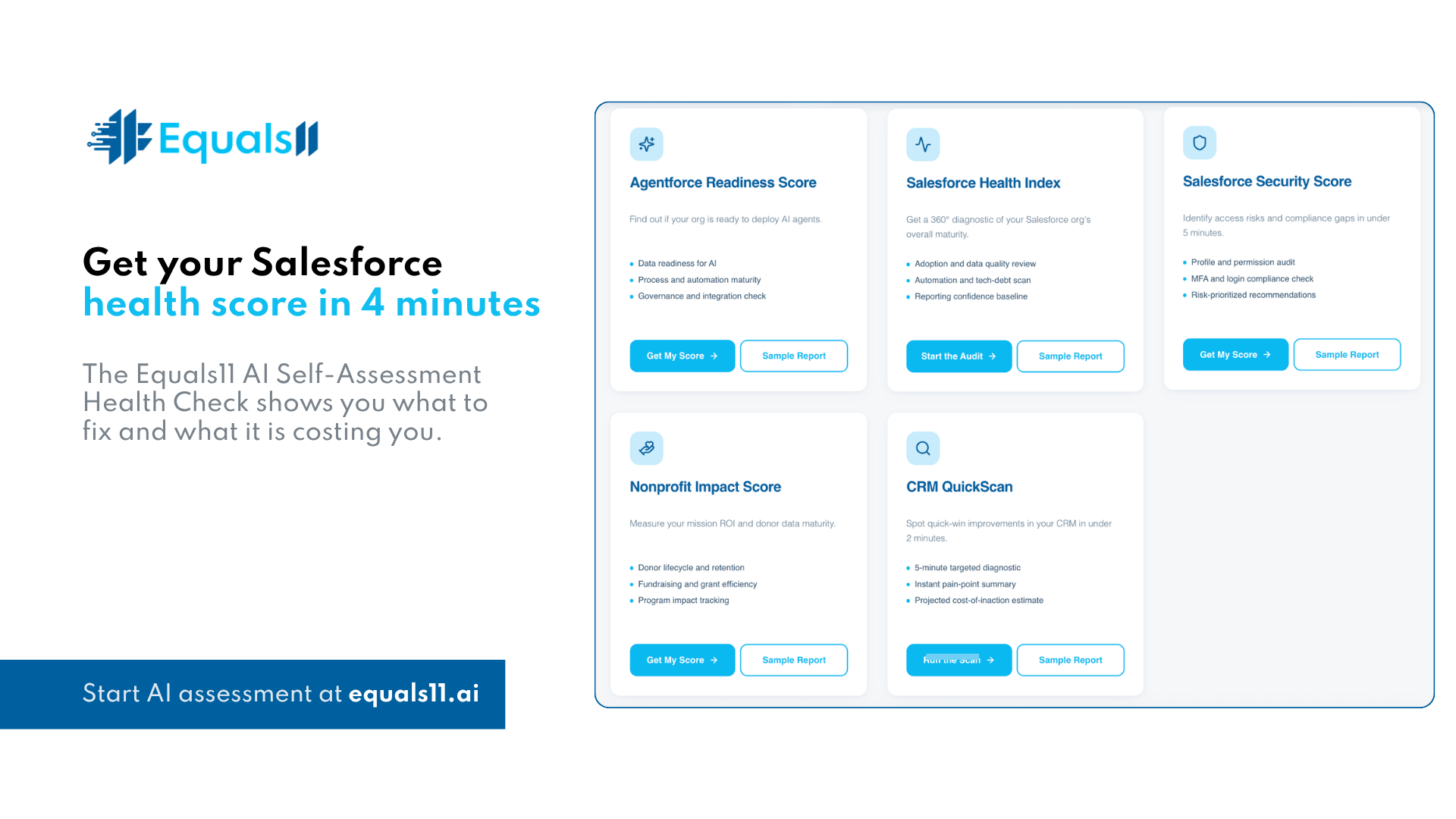
Equals11.ai gives you five diagnostic tools to find out what is actually costing you money, where AI can move the pipeline, and how close your org is to being ready.
The Salesforce Security Score is the right starting point for this topic. Under 5 minutes. It runs a profile and permission audit, checks MFA and login compliance, and gives you risk-prioritized recommendations you can take into your next admin meeting.
If access is only part of what feels off, the other four assessments cover the bigger picture:
Salesforce Health Index. A 360° diagnostic of your org’s overall maturity. Adoption, data quality, automation, tech debt, and reporting confidence.
Agentforce Readiness Score. Find out if your org is ready to deploy AI agents. Data readiness, automation maturity, governance, and integration.
Nonprofit Impact Score. Measure mission ROI and donor data maturity for nonprofit teams running Salesforce.
CRM QuickScan. A 2-minute targeted diagnostic with an instant pain-point summary and a projected cost-of-inaction estimate.
Every assessment comes with a sample report, so you know what you are getting before you start.
Take the assessment atequals11.ai
Not sure which one fits? Book a discovery call atequals11.com/contact, and we will point you to the right starting point. No assessment required.
