
You can switch on Agentforce in the afternoon. Getting it to pay for itself is the harder part, and that gap is where Salesforce AI deployments stall.
The switch is easy. The return depends on everything underneath it: clean data, automations that do not conflict, a governance model you can defend, and one clear use case worth automating. Equals11 built its Autopilot service around that reality. We tell you where AI pays off in your Salesforce org, then we build it on a foundation that can actually carry it. The result is a 12-week Agentforce deployment with a return you can point to.
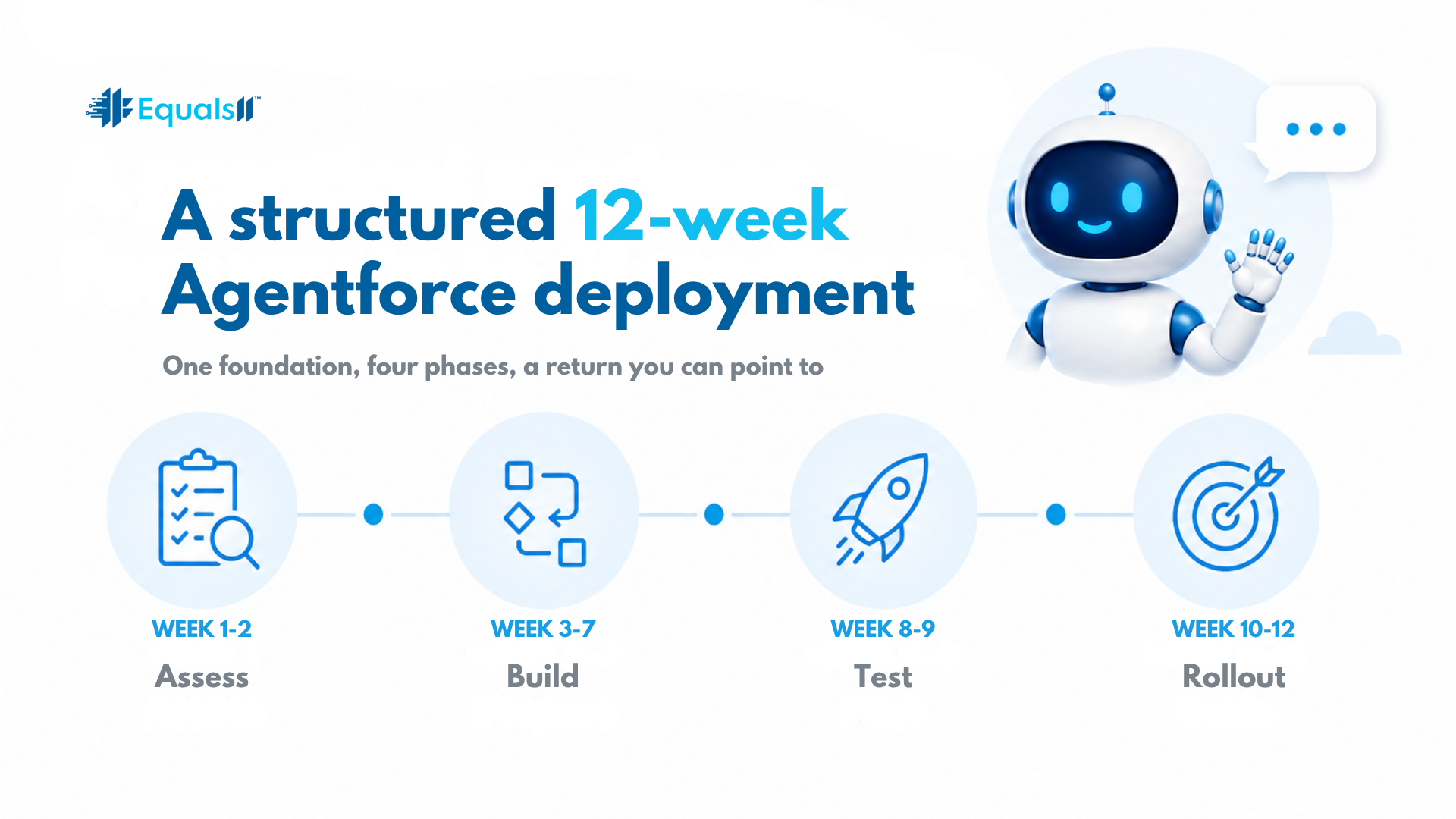
Here is the full Agentforce deployment timeline, week by week.
Weeks one and two: strategy and readiness
Every deployment starts with a read on where you actually stand. We map your strategy, data, automation, and governance, then come back with a clear picture of what is ready for AI and what is not. This is the step teams rush, and rushing it is how agents end up acting on data they cannot trust. You leave these two weeks knowing exactly what has to be true before a single agent goes live.
Weeks three through seven: foundation cleanup and build
With the readiness picture in hand, we fix the data model first. Then we build. Agentforce or Einstein, against one real use case, not a dozen half-formed ideas. Picking a single high-value workflow is deliberate. It gives you something measurable to point to, and it proves the model works before you scale it across the business. This is the longest stretch of the engagement, because it is where the actual value gets built.
Weeks eight and nine: QA and optimization
Before a live user touches anything, we test it against the real workflows your team runs, not a scripted demo. We tune the agent's behavior, close the gaps, and make sure it holds up under the conditions it will face in production. An agent that looks good in a demo and breaks on a real case is worse than no agent at all.
Weeks ten through twelve: rollout and training
We roll it out, train your team, and document everything. That last part matters more than it sounds. You own the deployment when we are done, not us. The goal is a team that can run and extend the AI on their own, with documentation that does not walk out the door when the project ends.
After go-live, it does not stop there.
AI drifts as the business shifts. New products, new processes, and new data all change what the agent needs to do. Hypercare and our Continuum managed service keep the deployment sharp after launch, so the return holds instead of fading three months in. A good Agentforce implementation does not end at go-live. It settles in.
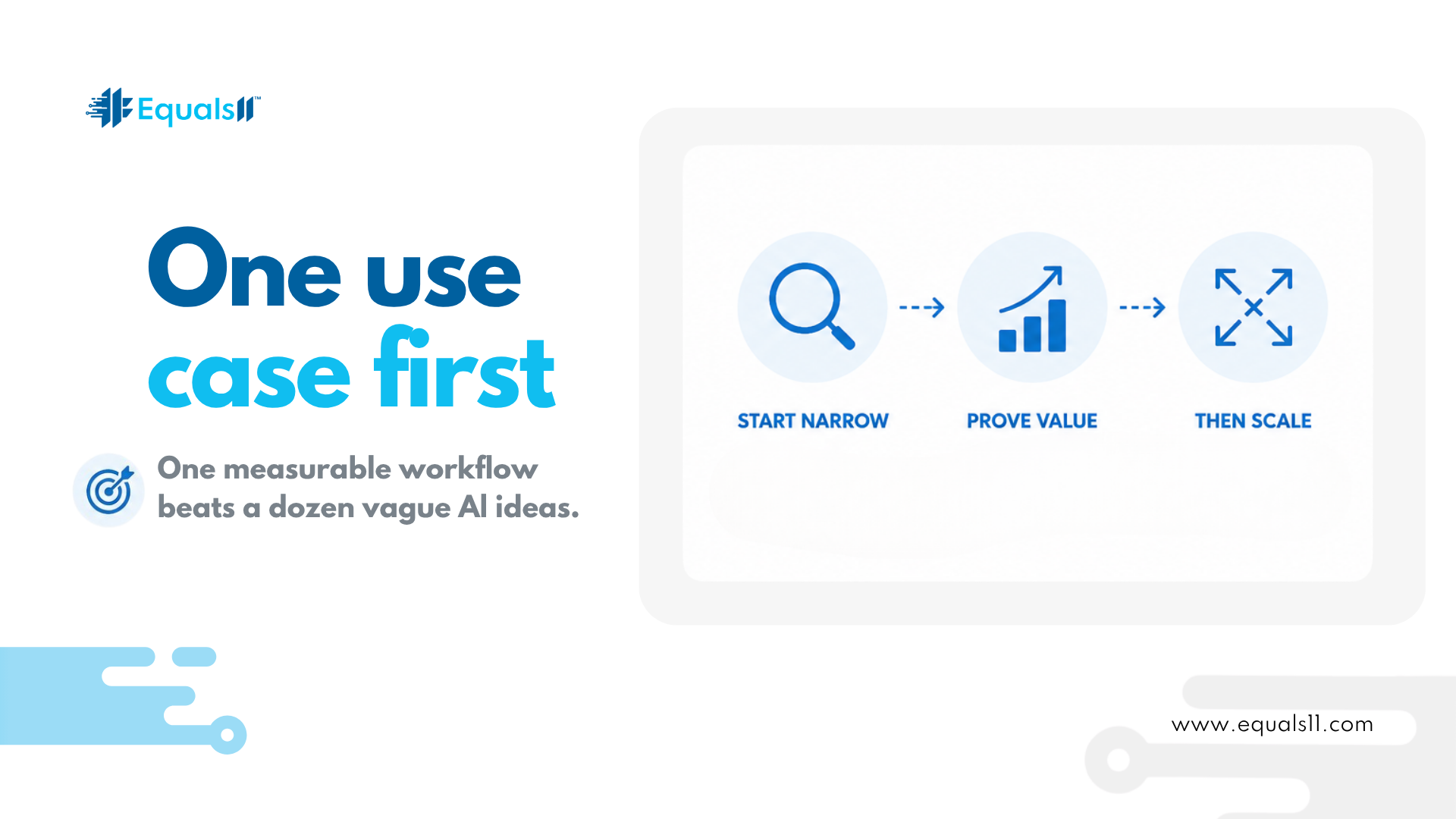
Why one use case beats boiling the ocean
The fastest way to stall an AI program is to aim it at everything at once. Autopilot deploys against a single, high-value use case first for a reason. You get a measurable win early, your team learns the pattern on something real, and you scale from proof instead of hope.
That focus shows up differently depending on who is asking. A CRO gets a pipeline they can trust, and busywork is moved to agents. A CIO gets a deployment with controls they can defend. RevOps gets a clean data model and AI that reduces tickets instead of creating them.
Proof it works
Equals11 built this model on real deployments. Working with the National Kidney Foundation, we used Einstein to turn engagement signals into forecasts and get ahead of donor churn. Nick Duquette, their VP of IT, described the team's work as tailoring a custom Salesforce solution to their goals in an efficient, professional, and results-oriented way.You can grab a copy of the full case study here; no emails required.
Before you deploy, it helps to know where your own org stands. The free AI self-assessment at equals11.ai is a fast way to see the gaps that would slow an AI project down, so you walk into a deployment with your eyes open.
Frequently asked questions
How long does an Agentforce implementation take?
With Equals11, it takes twelve weeks from strategy to rollout. The first two weeks assess readiness, the middle weeks clean the foundation and build against one use case, and the final weeks handle testing, rollout, and training. A complex org can shift the Agentforce deployment timeline, but the four-phase structure holds.
Do I need to clean my data before deploying AI?
Yes, and it is built into the process. Agentforce and Einstein make decisions from your Salesforce records. If those records are inconsistent, the AI has no way to know. It acts on whatever it finds. A 12-week Agentforce deployment fixes the data model in the early weeks so the AI runs on something it can trust.
Can you deploy Agentforce against just one use case first?
That is the recommended path. Autopilot targets a single high-value workflow first, which gives you a measurable result and proves the model before you scale. Starting narrow is faster and lower risk than pointing AI at everything at once.
What happens after the Agentforce deployment goes live?
You own it. We train your team and document the build so it does not depend on us to run. Hypercare and the Continuum managed service are available to keep the deployment tuned as your business changes and the agent's job shifts.
How do we know the deployment is working?
Because it is built against a real use case with a defined outcome, you have something concrete to measure from day one. That is the point of deploying narrow first. The win is visible, not theoretical.
Ready to see where AI fits in your Salesforce strategy? Book an AI Readiness Call at equals11.com/contact.
