
Flow sprawl is the silent killer of your Salesforce org. 6 signs you have it.
Open the Flow list view in any five-year-old Salesforce org. You will probably find 40 active Flows, maybe 80, maybe 200. Names like "Lead Update v2," "Lead Update FINAL," "Lead Update DO NOT TOUCH." A handful are still owned by an admin who left two years ago. Three of them update the same field. Two contradict each other depending on which one fires first. Nobody on the current team knows what half of them actually do.
That is Flow sprawl. And it is one of the most expensive forms of Salesforce technical debt we see in the field.
Flow sprawl is rarely caused by bad admins. It is caused by good admins working under pressure, on tight timelines, with no governance layer above them. Every Flow looks reasonable on the day it gets built. The damage comes from accumulation. Six years and four admins later, the automation layer is a graveyard of decisions nobody documented and behaviors nobody can predict.
Here is how to recognize Flow sprawl, why it is more dangerous than it looks, and how to clean it up without breaking the org.
Why Flow sprawl happens
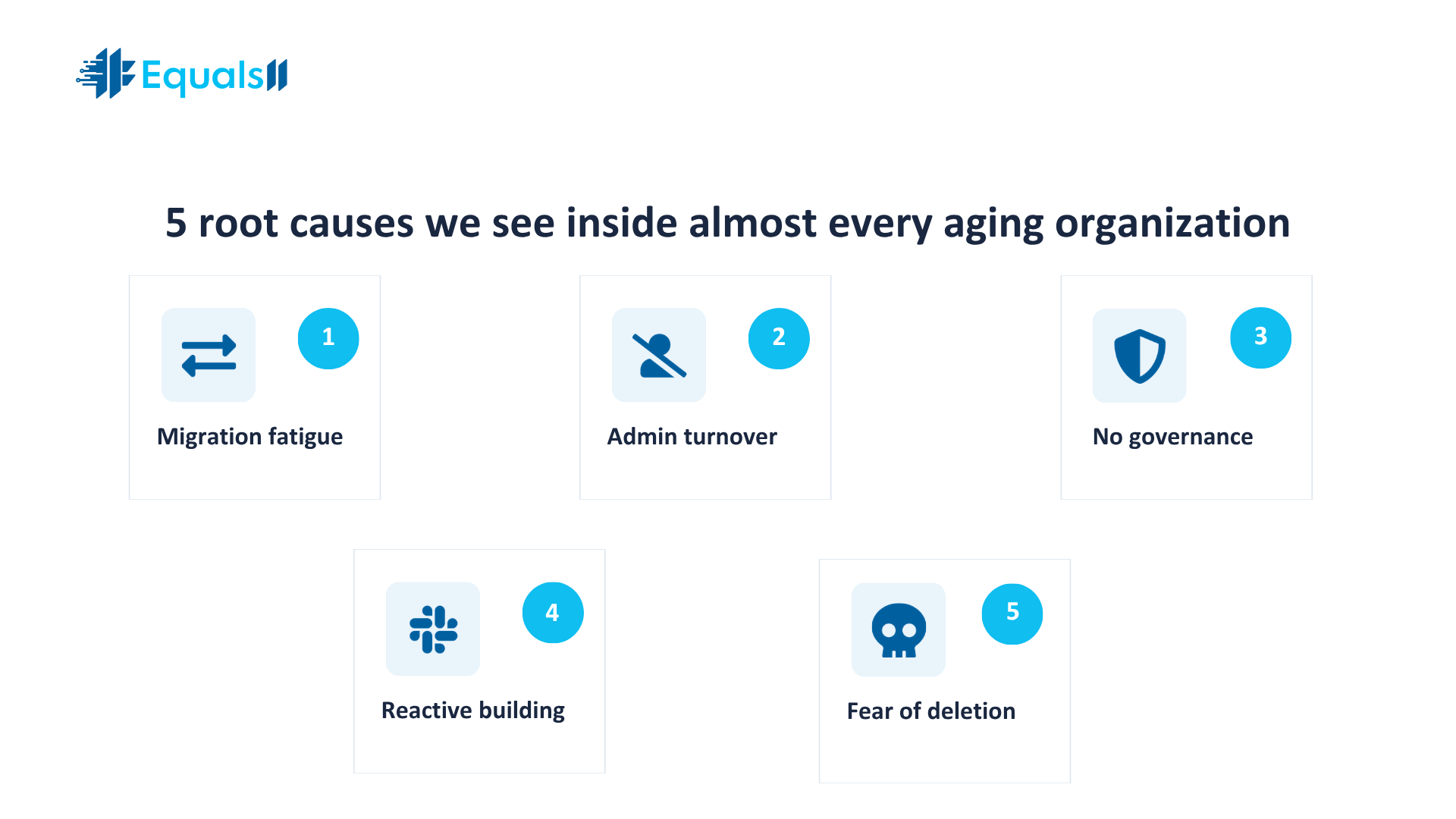
Flow sprawl has five common root causes.
Migration fatigue - Salesforce retired WorkFlow Rules and Process Builder. Most orgs migrated to Flow under deadline pressure. The fast path was to convert each old automation into its own Flow. The right path was to consolidate them. Almost nobody had time for the right path. So one Process Builder with eight branches became eight separate Flows. Multiply that across an org with hundreds of automations, and the sprawl starts immediately.
Admin turnover - A new admin inherits an org. They do not understand the existing Flows. They are afraid to touch them. So they build a new Flow next to the old one to handle the new requirement. The old one keeps running. Over the years, the layer grows, never shrinks.
No governance - Nobody decides which object owns which automation. Nobody enforces a naming convention. Nobody reviews Flows before they go to production. Anyone with admin permissions can build, deploy, and forget.
Reactive building - A request comes in on Slack. The admin builds a Flow that afternoon. It works. It ships. It is never documented. Six months later, when the business changes, that Flow is now invisible debt.
Fear of deletion - Even when an admin spots an obviously dead Flow, they often leave it active. The reasoning is always the same. "What if something is using it." So nothing gets removed. The graveyard grows.
6 signs your automation layer has Flow sprawl
1. You have more than 30 active Flows on a single object
Open the Flow list view, filter by object, and count. If your Lead, Opportunity, or Account object has more than 30 active Flows firing on create or update, you have a problem. Every one of those Flows runs on every record change. The order is unpredictable. Performance degrades. Debugging takes hours. We have seen orgs with 80 active Flows on the Opportunity object alone. Page saves take 8 seconds. Reps blame Salesforce. The cause is the automation, not the platform.
2. Flow names follow no convention
If your Flow list looks like this, you have Flow sprawl.
Lead Update
Lead Update v2
Lead Update v2 FINAL
Update Lead
New Lead Flow
Lead Auto Assign
Lead Auto Assign Backup
A clean org uses a strict naming convention. Object name, trigger type, purpose, version. Something like "Lead_AfterUpdate_AssignTerritory_v3." When you cannot tell which Flow does what from the name alone, your team is debugging blind. Every change becomes a guessing game.
3. Multiple Flows update the same field
This is one of the most damaging patterns we see. Three Flows are all set to Lead Status under different conditions. They run in unspecified order. The "winner" depends on which one Salesforce evaluates last. The result is a non-deterministic record state. Reports do not match what reps see. Forecasts behave unpredictably. Audit trails become impossible to interpret. If you ever caught yourself saying, "The data was right yesterday," this is often the cause.
4. Inactive Flows still exist in production
A clean org has zero inactive Flows in production. None. If a Flow is inactive, it should be deleted or archived in a sandbox. When inactive Flows pile up, two things happen. Admins lose track of which version is live. And someone, eventually, reactivates the wrong one during a release and breaks production. We have seen this trigger pricing errors, lost deal context, and one case where a renewal opportunity quietly closed itself for three weeks before anyone noticed.
5. Your record-triggered Flow runtime exceeds 10 seconds
Salesforce gives you the data. Go to Setup, search "Flow Trigger Explorer," and look at the average execution time on your most active objects. If a single record update is triggering 10 or more seconds of automation, your reps are feeling it. They will not file a ticket that says "automation is slow." They will say, "Salesforce is slow." They will start updating in batches at the end of the day to avoid the pain. That behavior is shadow CRM. The root cause is your Flow layer.
6. Nobody can tell you what a Flow does without opening it
Test this. Walk to your admin's desk. Read out a Flow name from your list view. Ask what it does and when it last changed. If the answer is "let me check," your documentation layer is missing. Multiply that gap across 100 Flows, and you understand why every change request takes three days. The org runs. Nobody knows how.
Why Flow sprawl is more dangerous than it looks
A messy automation layer is not just an aesthetic problem. Here is what it actually costs.
Performance tax - Every record save runs the entire Flow stack on that object. Twenty Flows means twenty sets of conditions, queries, and DML operations. At scale, this hits CPU governor limits. Complex saves time out. Bulk imports fail.
Hidden bugs - Two Flows that update the same field will eventually contradict each other. Outcomes drift. Data quality erodes. Reports become unreliable. Leadership stops trusting the system and reverts to spreadsheets.
AI readiness blocked - Agentforce, Einstein, and Data Cloud assume the data inside Salesforce is the truth. When the automation layer corrupts the truth, every AI prediction inherits the corruption. You cannot turn on intelligent agents on top of a broken foundation.
Release risk - Every deployment becomes a coin flip. Will this new Flow conflict with one of the legacy ones? Nobody knows until production. Deployments slow down. Admin teams burn out. Velocity drops.
Compliance exposure. SOX, HIPAA, and SOC 2 audits all ask the same question: can you show what your system does, when, and why. An undocumented Flow layer fails this question. Auditors do not accept "we think it does this."
How to clean up Flow sprawl without breaking production
You do not fix this by opening every Flow and trying to understand it in isolation. You fix it with a structured cleanup. Five steps.
Step one: Inventory everything - Export every active and inactive Flow on every object. Capture name, owner, trigger type, last modified date, and last modified user. A simple SOQL query on FlowDefinitionView gets you most of this. The full inventory usually fits on a spreadsheet. That spreadsheet is your map.
Step two: Tag every Flow by status - Each Flow gets one of four labels. Active and documented. Active and undocumented. Inactive. Orphaned, meaning the owner has left. Orphaned and undocumented Flows are your highest-risk items. Start there.
Step three: Find the duplicates - Sort your inventory by object and by fields updated. Look for Flows that touch the same field. Look for Flows with overlapping entry conditions. Document every conflict. This is usually where the first major wins come from. Most orgs find that 15 to 30 percent of their Flow layer is genuinely redundant.
Step four: Consolidate by object - Salesforce best practice is one record-triggered Flow per object per trigger type. Before-save logic in one Flow. After-save logic in another. SubFlows for reusable pieces. This is not a religious rule, but it is the right north star for cleanup. Migrate logic into consolidated Flows in a sandbox. Test in a full copy. Promote in waves.
Step five: Govern what you build next - A cleanup is only worth doing if you prevent the next round of sprawl. Define a naming convention. Require a description on every Flow. Block Flow deployment without a peer review. Schedule a quarterly automation health review. Without governance, the layer will sprawl again within 18 months.
What this looks like when it works
We worked with a B2B services company running 140 active Flows across 11 objects. Page saves were averaging 6 to 9 seconds. The admin team spent 60 percent of their time debugging behavior nobody could explain. After a structured cleanup, the org ran 38 active Flows. Page saves dropped under 2 seconds. The admin team got 24 hours a week back. None of the business logic was lost. It was just consolidated, documented, and governed.
That is what a healthy automation layer looks like. Fewer Flows. Clearer names. Predictable behavior. Time back for the team.
Frequently asked questions about Salesforce Flow sprawl
What is Flow sprawl?
Flow sprawl is the gradual accumulation of overlapping, redundant, or undocumented automations inside a Salesforce org. It usually starts small with a handful of Flows added under time pressure. Over the years, it grows into hundreds of Flows that fire in unpredictable order, touch the same fields, and slow down record saves. The org still works. It just costs more to run, is harder to change, and is impossible to fully understand.
How many Flows are too many?
There is no universal cap, but here is a useful threshold. If a single object has more than 30 active record-triggered Flows, you almost certainly have sprawl. Salesforce best practice is one record-triggered Flow per object per trigger context, with subFlows for reusable logic. Most orgs with more than 30 active Flows on a core object are running redundant or conflicting automation.
Should I delete inactive Flows?
Yes. Inactive Flows in production add risk without value. They confuse admins, get accidentally reactivated during deployments, and clutter the inventory. Best practice is to keep zero inactive Flows in production. If you need to preserve old logic, archive it in a sandbox or in version control.
How is Flow sprawl different from technical debt in code?
Flow sprawl is technical debt, but specifically inside the declarative automation layer. Apex code debt usually shows up as test class failures, governor limit errors, or deploy failures. Flow sprawl is quieter. The org keeps working. The sprawl shows up as slow saves, contradictory data, and unexplained behavior. It is harder to detect because there is no compiler to throw an error.
Does Flow sprawl affect Agentforce or Einstein?
Yes. Both depend on a consistent, predictable record state. When multiple Flows update the same field in unpredictable order, every downstream prediction or agent action inherits that inconsistency. We do not recommend turning on Agentforce on top of a sprawled automation layer. Clean the layer first. Then enable AI on top of a stable foundation.
How long does a Flow cleanup take?
For a mid-size org with 80 to 150 active Flows, a structured cleanup typically runs 6 to 10 weeks. The first two weeks are inventory and analysis. The next four to six are consolidation and sandbox testing. The final phase is staged production deployment with monitoring. Trying to do it faster than that is how production breaks.
Can I clean up Flows on my own, or do I need a Salesforce consulting partner?
If you have a senior admin or architect with bandwidth, a clear inventory, and a full sandbox copy, you can do it in-house. The risk comes when nobody on the team has time to focus on a multi-week cleanup, or when the original builders have left, and nobody understands the legacy logic. That is when bringing in a Salesforce consulting partner pays for itself in avoided breakage.
What is the difference between automation cleanup and a full org redesign?
Cleanup keeps your data model intact and consolidates the automation layer on top of it. Redesign rebuilds the model itself. If your Flows are messy but the underlying objects, fields, and relationships are sound, cleanup is enough. If reps keep building the same workarounds even after a Flow cleanup, the data model itself is the problem, and a redesign is the right call. We covered this in our post on Salesforce data cleanup vs. data redesign.
How do I prevent Flow sprawl from coming back?
Three things. Define a naming convention everyone follows. Require a description and an owner on every Flow. Run a quarterly review where every new Flow gets a peer review, and every old Flow gets a relevance check. Without governance, sprawl returns within 18 months, no matter how clean the cleanup was.
Where to start: run the self-diagnostic AI health check assessment
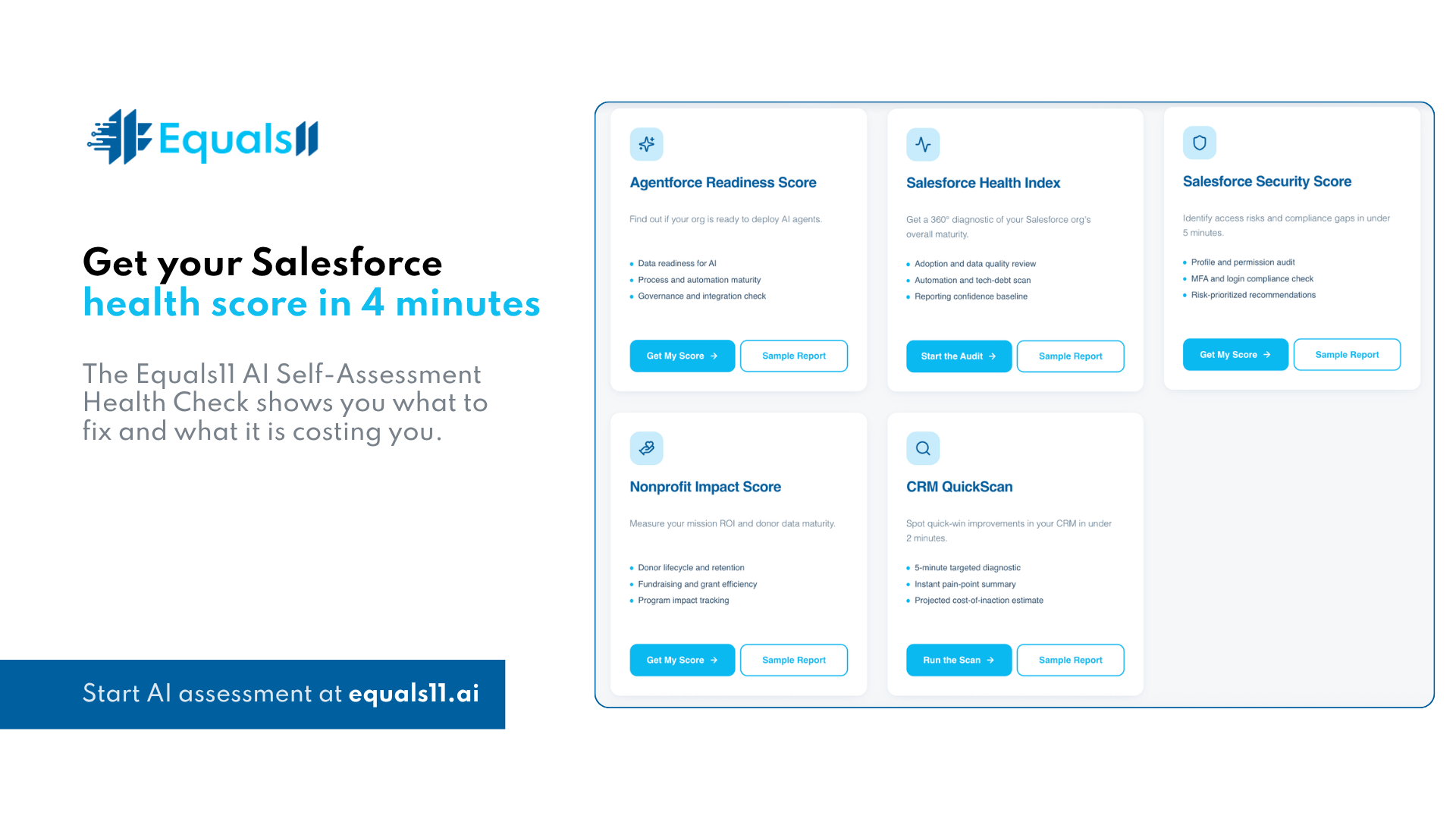
If you suspect Flow sprawl is dragging on your org, but you do not know how deep it goes, run the Equals11 self-diagnostic AI health check assessment at equals11.ai.
It takes 4 minutes. You answer a short set of questions about how your org is set up, how your team uses it, and where the friction shows up. The diagnostic returns a clear read on where your Salesforce environment stands today, which problems are most likely costing you the most, and what to fix first.
No sales call required. Salesforce is not expensive. Misalignment is. Flow sprawl is just one of the places it shows up.
