
Duplicate records in Salesforce: Why they keep coming back and how to stop them
You cleaned the duplicates last quarter. You ran the merge tool, ran a report, and celebrated a cleaner account list. Ninety days later, the reps are complaining again. The same account appears three times. The same lead is assigned to two people. The same contact lives in four records with slightly different spellings.
Duplicate records are not a cleanup problem. They are a design problem. Every org that keeps finding duplicates has the same root cause. Nothing in the system prevents duplicates from being created in the first place. This post breaks down why duplicates keep returning, what it actually costs your business, and the architecture that stops them for good.
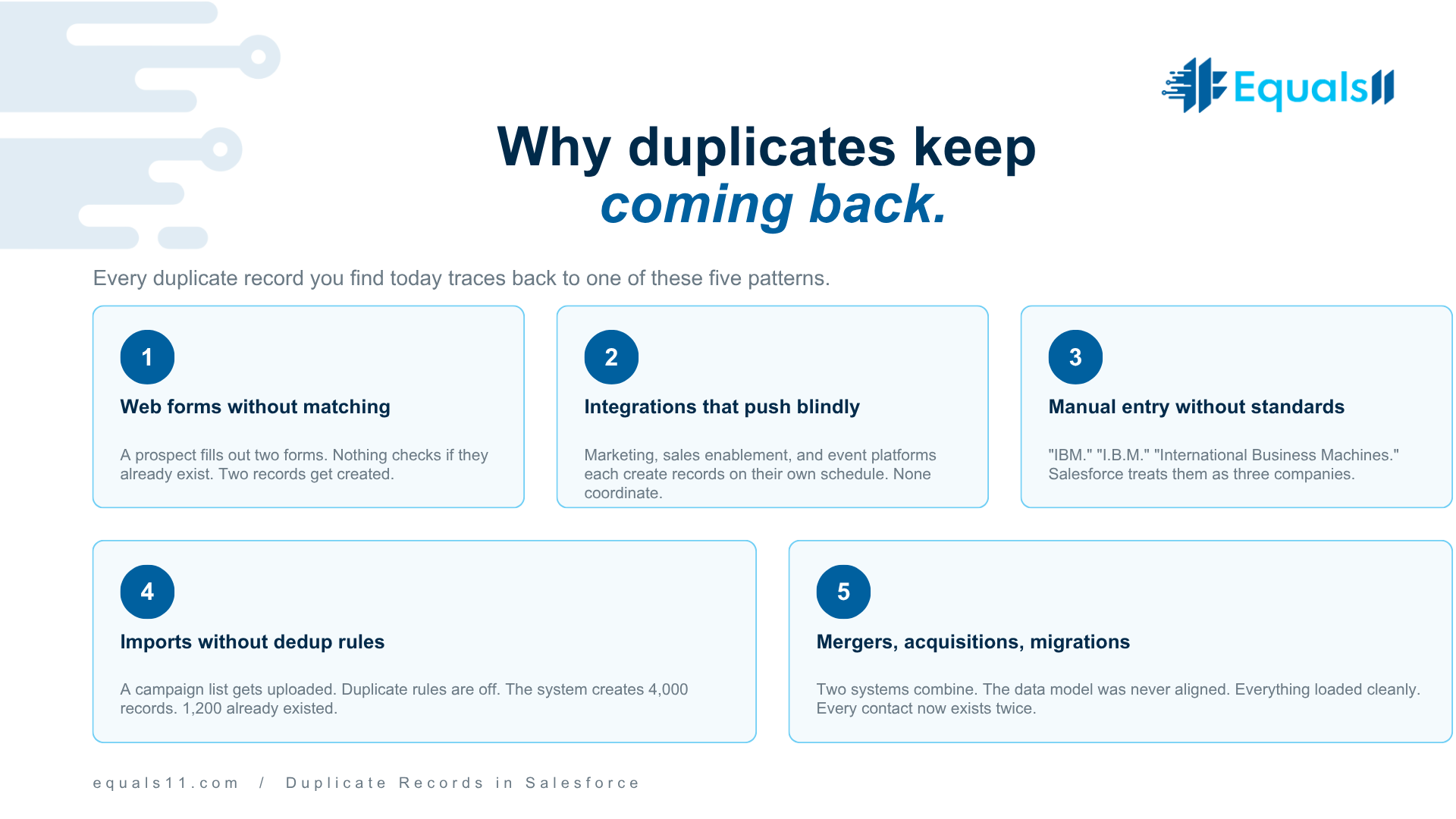
Why duplicates keep coming back
Duplicate records are not random. They come from a small set of predictable sources. Almost every healthcare, manufacturing, B2B SaaS, and nonprofit org we audit has the same five causes.
Web-to-lead forms with no matching logic. A prospect fills out two forms in six months. Your form creates two new leads because nothing checks whether they already exist. Multiply that across campaigns, events, and gated content. You have built a duplicate factory.
Integrations that push without checking. Marketing automation creates a lead. The sales enablement tool creates a contact. The event platform creates another lead. Each integration runs on its own schedule. None of them coordinates.
Manual entry with no standard. A rep types "IBM" into one record and "I.B.M." into another. A second rep enters "Ibm Corp." A third uses "International Business Machines." Salesforce treats them as four different companies because that is exactly what it was told.
Imports without deduplication rules applied. A list gets uploaded for a campaign. Nobody sets duplicate rules to match on email or phone. The system creates 4,000 new records, of which 1,200 were already in the org.
Mergers, acquisitions, and migrations. Two systems combine. The data model was not aligned before the migration. Everything loaded cleanly, but every contact now exists twice.
Every duplicate you find today was created by one of these five patterns. Cleanup alone does not address any of them. Which is why cleanup alone never works for long.
What duplicate records actually cost you
This is where leadership usually stops paying attention, so we will be specific.
Forecasting error. Pipeline duplicates inflate coverage. A deal shows up under two account records because the account is duplicated. Revenue teams report it once, miss it once, or double-count it. Now your forecast is wrong, and you cannot explain why.
Marketing waste. Duplicate contacts each receive the same campaign. You pay for the send, pay for the deliverability hit, and burn trust with prospects who unsubscribe because "your company keeps emailing me twice."
Reporting you cannot trust. Leadership asks, "how many customers do we have?" The answer is a range, not a number. Every dashboard built on top of duplicated data inherits the error. Teams stop trusting reports. They build their own in spreadsheets. You now have two sources of truth, which is the same as having none.
AI readiness blocked. Einstein and Agentforce do not work on bad data. Feed them duplicated contacts, inconsistent account hierarchies, and conflicting field values, and you get unreliable predictions, wrong routing, and hallucinated summaries. Most AI pilots in 2026 are failing at the data layer, not the model layer.
Compliance risk. In regulated industries, one person represented by three records creates three different consent states, three different opt-out statuses, and three different data retention clocks. That is a HIPAA, GDPR, or CCPA problem waiting to be found.
Rep time. Your best sellers spend twenty minutes a day reconciling account and contact records. Across a 50-person team, that is over 4,000 hours a year. Calculate that at fully loaded cost and the number gets uncomfortable fast.
The architecture that actually stops duplicates
Stopping duplicates is a four-layer problem. Most orgs work on one layer at a time, which is why they never finish. You need all four running at once.
Layer 1: Matching rules and duplicate rules in Salesforce. This is the native Salesforce feature built for exactly this. Most orgs either never turned it on, turned it on with the default settings, or turned it on and got frustrated when it flagged too much. The fix is to tune it. Match on email for contacts and leads, match on website domain and normalized account name for accounts, and set the rule to "Allow" with alerting for marketing and "Block" for sales-created records. Tune the fuzzy matching thresholds until your false positive rate is under 5%.
Layer 2: Standardized data entry. Pick list fields instead of free text wherever possible. Validation rules that normalize casing, trim whitespace, and enforce domain formats. Lookup filters that prevent reps from creating a new account when one already exists with the same domain. This is not glamorous. It is the difference between a clean org and a dirty one.
Layer 3: Integration deduplication. Every integration writing into Salesforce needs to be audited for how it handles existing records. The question is simple. When this integration finds a match, does it update the existing record or create a new one? If the answer is "create a new one," you have a duplicate pump. Middleware like MuleSoft, Workato, or native connectors can be configured to upsert on a unique key. If the integration was built without that logic, it needs to be rebuilt.
Layer 4: Ongoing governance. Duplicate prevention is not a project. It is an operational discipline. A weekly duplicate report owned by a named person. A monthly review of new custom objects and fields to confirm they do not break matching. A quarterly audit of integrations. This is the work that keeps the other three layers functioning.
Layer 1 alone reduces new duplicates by 60% to 80% in most orgs. Add Layer 2, and you are above 90%. Add Layer 3, and you are catching the edge cases. Layer 4 keeps the system from drifting back.
The cleanup approach that actually works
You still have the duplicates already in the org. Here is the sequence that gets the job done without breaking anything.
First, stop the bleeding. Deploy matching rules and duplicate rules before you clean anything. Cleaning without prevention is like bailing out a boat with a hole still in it.
Second, profile what you have. Export your accounts, contacts, and leads. Run them through a profiling tool to find matches by email, phone, normalized name, and domain. Understand the size of the problem before you start merging.
Third, merge in priority order. Start with the records that matter most. Active opportunities, accounts with recent activity, and contacts on active campaigns. Work downward. Do not try to merge everything at once. Orgs that try to boil the ocean usually stop halfway through and leave the data in worse shape than when they started.
Fourth, document the survivor logic. When you merge, you pick a winning record. Document the rules. Most recent activity wins. Most complete data wins. Specific field-by-field survivor rules where it matters. Automate the merge where possible using tools like DemandTools, Cloudingo, or custom Apex. Manual merging at scale is where cleanup projects go to die.
Fifth, freeze and verify. After cleanup, freeze new record creation for a short period and verify that the duplicate rules are catching what they should. Turn it back on gradually.
This is a four to twelve-week project, depending on org size. It is the kind of work that pays for itself within a quarter in rep time savings alone.
Q&A: Duplicate Records in Salesforce
What causes duplicate records in Salesforce?
Duplicates come from five main sources. Web-to-lead forms without matching logic, integrations that create instead of upsert, manual data entry without standards, imports run without duplicate rules enabled, and migrations or mergers where data models were not aligned. Almost every duplicate you find traces back to one of these five.
How do I prevent duplicate records in Salesforce?
Use a combination of native matching rules and duplicate rules, standardized data entry through pick lists and validation rules, integration upsert logic based on unique keys, and ongoing governance with a named owner. Prevention requires all four layers. Any one of them alone leaves gaps.
What is the difference between matching rules and duplicate rules?
Matching rules define how Salesforce identifies potential duplicates. They compare fields like email or company name to spot overlap. Duplicate rules define what Salesforce does when a match is found. The rule can block the save, alert the user, or allow creation with a report flag. You need both. Matching rules without duplicate rules just flag. Duplicate rules without tuned matching rules block legitimate records.
How do I merge duplicate records in Salesforce?
For small volumes, the native Salesforce merge feature works for accounts, contacts, and leads. For larger volumes, dedicated tools like DemandTools, Cloudingo, or Data.com handle bulk merging with better survivor field logic. For enterprise-scale cleanup, a custom Apex with a documented survivor rule set is often the fastest path.
Can duplicate records affect Salesforce reports?
Yes, and significantly. Duplicate accounts inflate customer counts, duplicate opportunities inflate the pipeline, and duplicate contacts skew engagement metrics. Reports built on duplicated data produce unreliable outputs, which is one of the most common reasons leadership loses trust in Salesforce reporting.
Do duplicate records affect Agentforce and Einstein AI?
Yes. AI tools on Salesforce depend on clean, consistent data to produce reliable outputs. Duplicates create conflicting field values, broken account hierarchies, and fragmented engagement history. An Agentforce agent that routes a case or generates a summary will produce unreliable results if the underlying data is duplicated. Data cleanup is a prerequisite for AI readiness, not a separate project.
How often should I run a duplicate check in Salesforce?
A weekly automated duplicate report is standard practice for a mature org. Monthly reviews of new custom objects and integrations. Quarterly audits of the full data set to catch any drift. If duplicate prevention is working, these reviews confirm the system rather than produce surprises.
What is the cost of duplicate records in Salesforce?
The direct costs include rep time spent on record reconciliation, marketing waste from duplicate sends, forecast errors, and unreliable reports. The indirect costs include blocked AI initiatives, compliance risk in regulated industries, and eroded trust in Salesforce as a system of record. For a mid-market org, duplicate records often cost $250,000 to $1 million annually in measurable impact.
Should I use a third-party deduplication tool or stick with native Salesforce?
Native Salesforce matching and duplicate rules handle the majority of prevention needs. Third-party tools like DemandTools, Cloudingo, and Data.com add value for bulk cleanup, advanced fuzzy matching, cross-object deduplication, and mass merge operations. Most mature orgs use both. Native for prevention. Third-party for cleanup and edge cases.
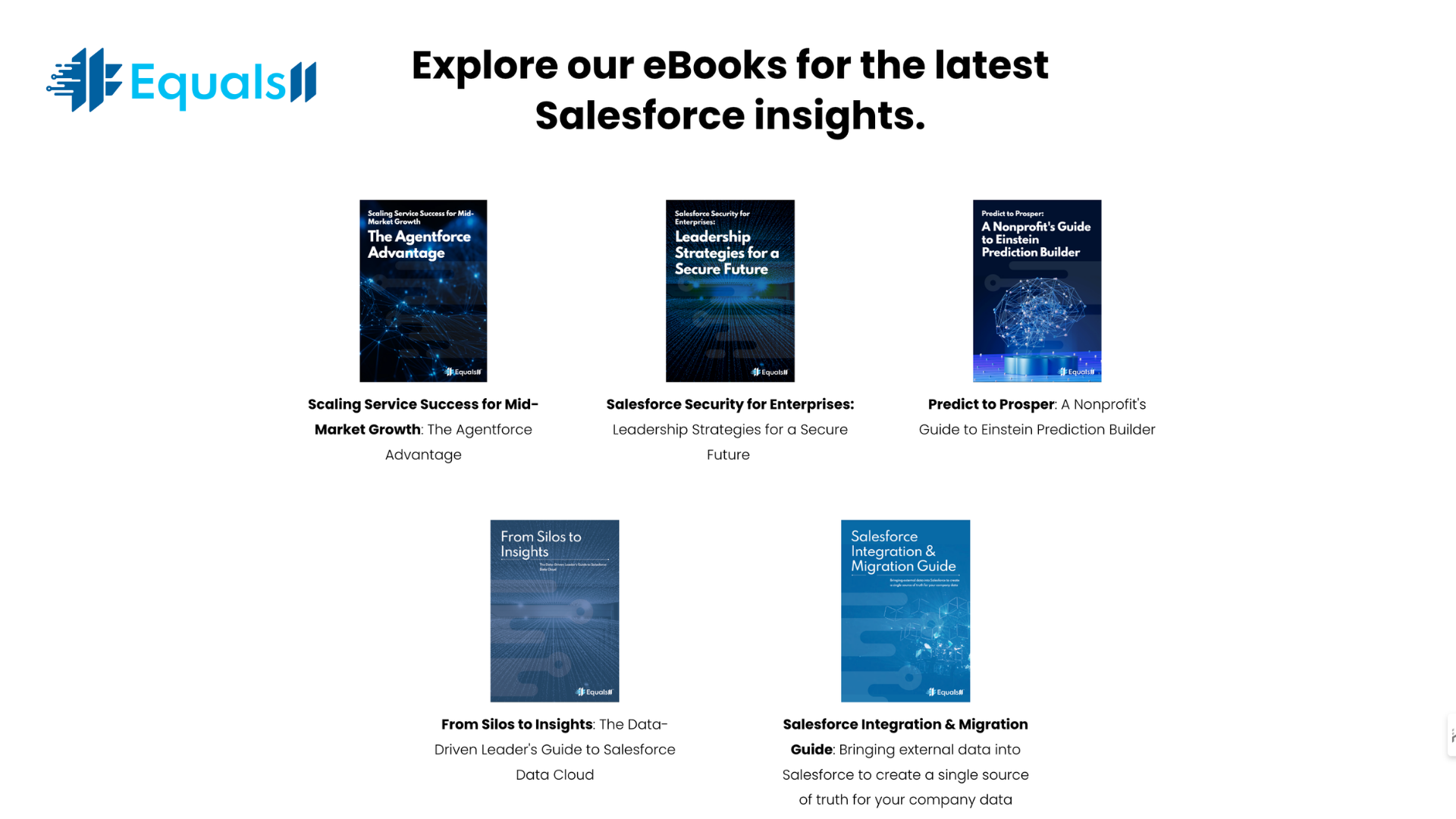
Free Salesforce Optimization resources for 2026
For a deeper view of the data architecture that prevents duplicates in the first place, the Salesforce Integration and Migration Guide walks through how to bring external data into Salesforce without breaking the data model. Available in the eBooks section at equals11.com/ebooks.
If you want an expert review of your specific environment, the Free Salesforce Health Check includes a Health Check Recommendations Report and Remediation Plan from Equals11's certified Architects and Consultants. Request it at equals11.com/healthcheck.
About Equals11
Equals11 is a certified Salesforce consulting partner focused on post-implementation optimization. We work with mid-market and small enterprise companies that already own Salesforce and need it to perform better. Our services include org audits, data model redesign, automation cleanup, governance documentation, AI readiness strategy, managed services, hypercare, and Data Cloud advisory.
We start with revenue motion, operational workflows, and reporting intent. We reduce technical debt. We emphasize data quality and governance before we enable automation or AI. We help businesses extract more value from what they already own before adding complexity.
Equals11 holds a 4.8-star rating on Clutch and a perfect 5-star rating on the Salesforce AppExchange. We have been named a Clutch Global Leader for Salesforce services and recognized as a top-rated partner three years running.
What clients say
Recent clients describe the Equals11 engagement in consistent terms. They highlight the team's technical depth across complex Salesforce environments, the ability to communicate clearly through email, messaging, and virtual meetings, and the discipline of delivering on schedule without surprises. Clients who came to us with CRM challenges they had been stuck on for months note that the Equals11 approach demystified the platform and showed them how Salesforce could map to their specific business model.
Another client running an ongoing managed services engagement described the work as responsive, accurate, and delivered with a partnership mindset.
The pattern is consistent. Clients do not hire Equals11 because Salesforce is broken. They hire us because the system is not yet doing what their business needs it to do. Duplicate records are one example of that gap. There are many others. Read all reviews here.
The bottom line
Duplicate records in Salesforce are a symptom, not a disease. They show up when the system was not designed with deduplication in mind, or when the design has drifted since go-live. Cleanup without redesign is a temporary fix. Redesign without cleanup leaves you managing known bad data.
Salesforce is not the problem. The gap between how Salesforce was configured and how your business actually runs is the problem. That gap is closeable, and closing it usually pays for itself inside a single quarter.
If you are on your third cleanup project in two years and the duplicates keep coming back, that is the signal. The cleanup is not the answer. The architecture is.
Ready to fix duplicates at the root?
If duplicate records are slowing down your team, breaking your reports, or blocking your AI rollout, we can help. Equals 11 runs a focused assessment of your Salesforce environment, identifies where duplicates are being created, and delivers a remediation plan your team can execute.
Contact us at equals11.com/contact. A 30-minute conversation is usually enough to tell you whether cleanup, redesign, or a combination is the right move for your org.
